
Save and load a React diagram as JSON
A graph is plain data — nodes, edges and the view — so saving it is
JSON.stringify and loading it is handing it back. The whole app — browser storage, a downloaded file, and
text you can edit — is examples/save-load.
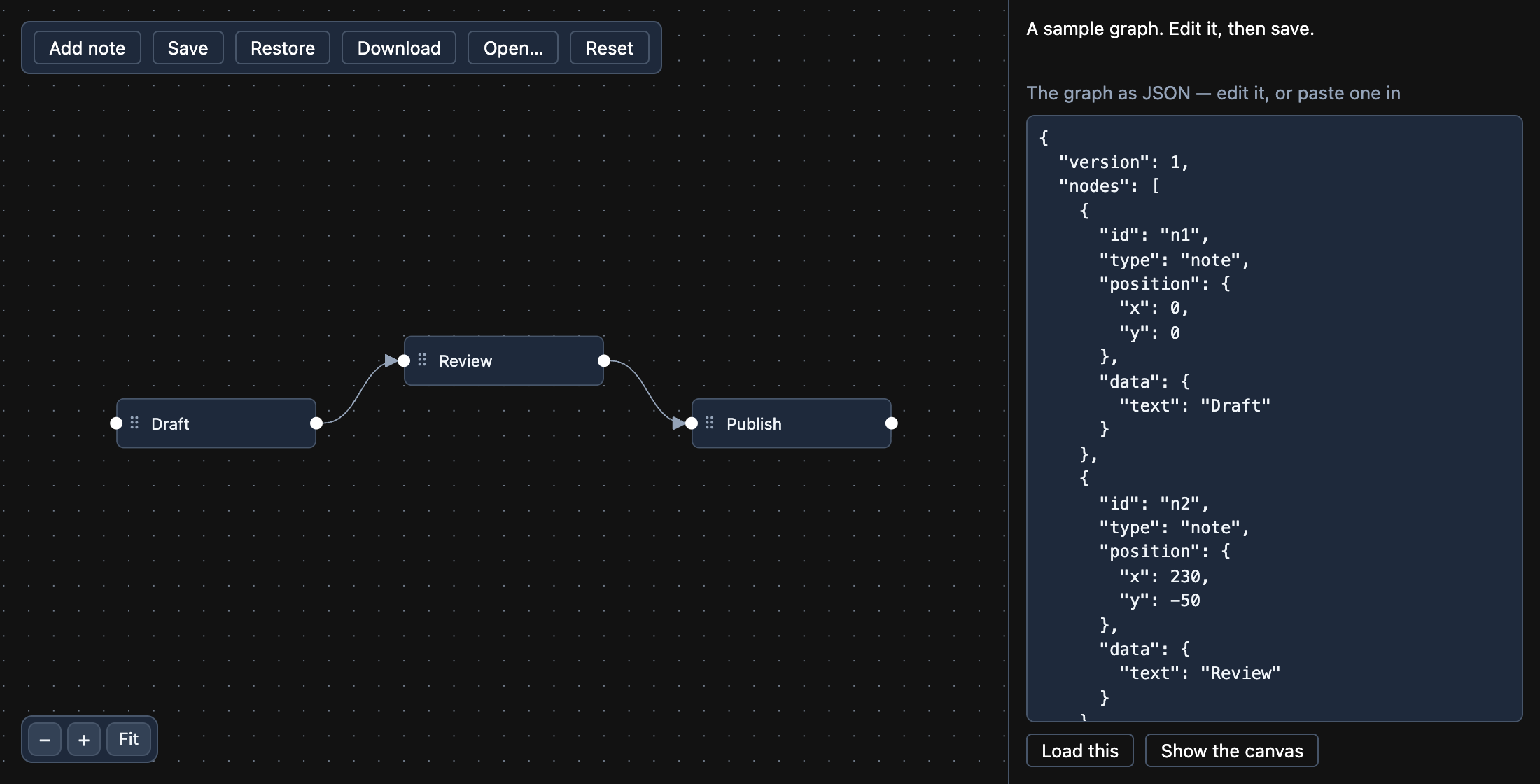
Save what is on the canvas
Section titled “Save what is on the canvas”toObject() from useReactFlow() is the graph as it stands: positions after a drag, sizes as measured, and
the current view — not the arrays your app last passed in.
const { toObject, setViewport } = useReactFlow();const [nodes, setNodes, onNodesChange] = useNodesState(initialNodes);const [edges, setEdges, onEdgesChange] = useEdgesState(initialEdges);
function save() {  const { nodes, edges, viewport } = toObject();  localStorage.setItem('diagram', JSON.stringify({ version: 1, nodes, edges, viewport }));}
Keep what a user types in a node in its data (with updateNodeData(id, { text })), and it is saved with
the rest. Leave out selected if a restored diagram should start with nothing selected.
Load it back
Section titled “Load it back”The flow is controlled, so loading is setting the state — then the view it was saved with:
function restore() { const text = localStorage.getItem('diagram'); if (!text) return; const flow = JSON.parse(text); setNodes(flow.nodes); setEdges(flow.edges); void setViewport(flow.viewport);}To open the canvas where the last session left off, read the saved file before the first render and pass
its viewport as defaultViewport (with fitView only when there was nothing saved).
Check a file before drawing it
Section titled “Check a file before drawing it”A file someone else wrote — pasted, uploaded, or left in storage by an older version of your app — may not be a graph at all. Check the fields the canvas needs before handing it over, and say what is wrong:
nodesandedgesare lists;- every node has a string
id, unique, and apositionwith numericxandy; - every edge has a string
id, and asourceandtargetthat are node ids.
src/flowFile.ts in the example does exactly this in about 50
lines, and keeps a version in the file so a later format can still read an old one.
Download and open a file
Section titled “Download and open a file”const blob = new Blob([JSON.stringify(toObject(), null, 2)], { type: 'application/json' });const url = URL.createObjectURL(blob);Object.assign(document.createElement('a'), { href: url, download: 'graph.json' }).click();URL.revokeObjectURL(url);
// and back, from <input type="file" accept=".json">:const text = await event.target.files[0].text();