
Lay out a DAG in React with dagre (or ELK, or d3-hierarchy)
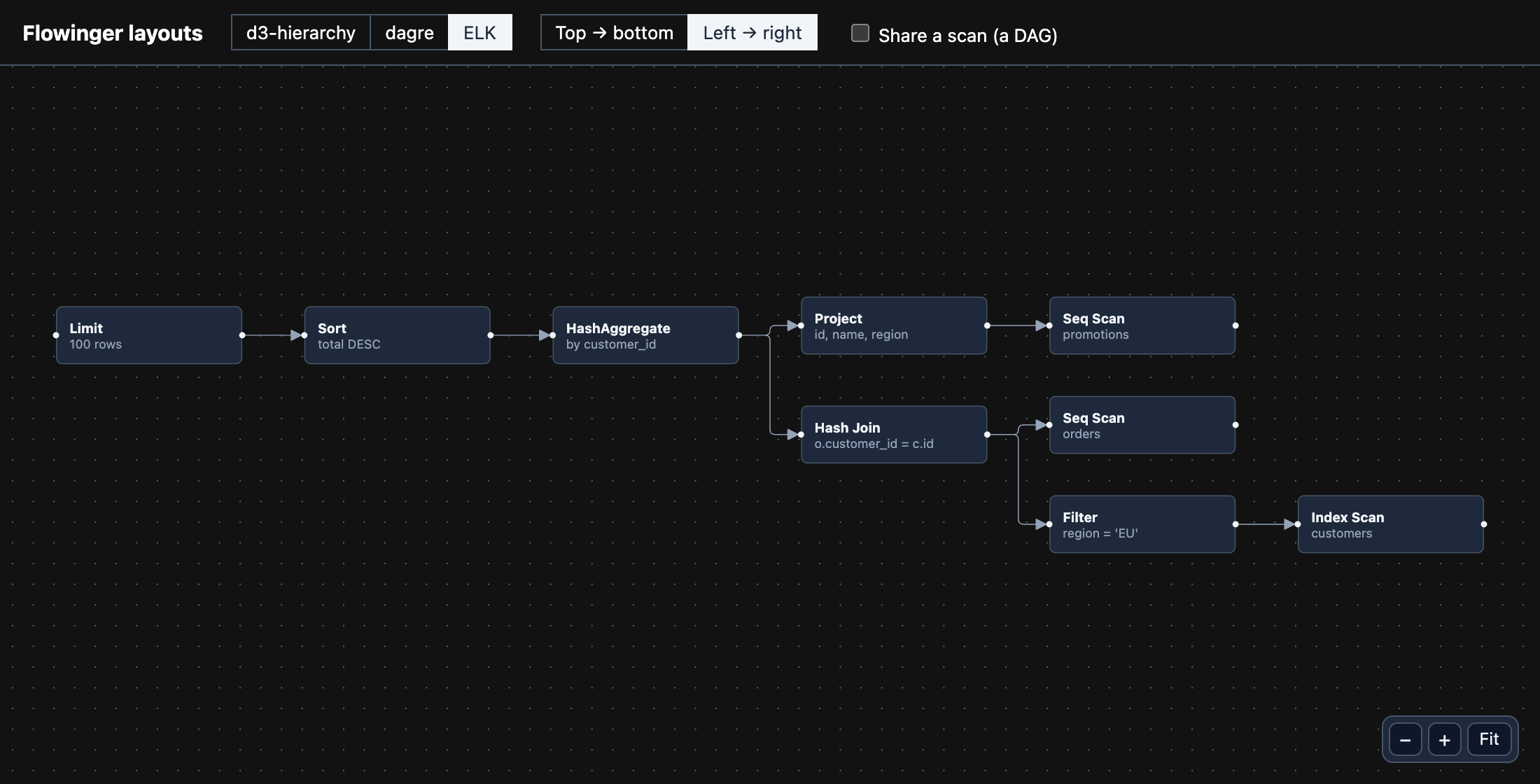
Flowinger draws a graph where you tell it to; it does not decide where the
nodes go. For a directed acyclic graph — a pipeline, a build graph, a query plan — a layout library works the
positions out and Flowinger draws them. The whole app, with all three libraries behind one switch, is
examples/layouts.
npm install flowinger @dagrejs/dagreA layout needs each node’s size before anything is drawn. Give the nodes a fixed size, hand dagre the nodes and edges, and turn the centres it reports into top-left corners:
import { graphlib, layout } from '@dagrejs/dagre';import type { Edge, Node } from 'flowinger';
const WIDTH = 180;const HEIGHT = 56;
export function layoutWithDagre(nodes: Node[], edges: Edge[], direction: 'TB' | 'LR' = 'TB'): Node[] {  const g = new graphlib.Graph();  g.setDefaultEdgeLabel(() => ({}));  g.setGraph({ rankdir: direction, nodesep: 40, ranksep: 60 });  for (const node of nodes) g.setNode(node.id, { width: WIDTH, height: HEIGHT });  for (const edge of edges) g.setEdge(edge.source, edge.target);  layout(g);
  return nodes.map((node) => {    const { x, y } = g.node(node.id); // the centre    return { ...node, position: { x: x - WIDTH / 2, y: y - HEIGHT / 2 }, width: WIDTH, height: HEIGHT };  });}
Then draw it. A viewer that only shows the graph can use FlowingerCore, the small build with no editing
features:
import { Background, Controls, FlowingerCore, FlowingerProvider } from 'flowinger';
export function Plan({ nodes, edges }: { nodes: Node[]; edges: Edge[] }) {  const laid = useMemo(() => layoutWithDagre(nodes, edges, 'LR'), [nodes, edges]);  return (    <div style={{ position: 'relative', height: 500 }}>      <FlowingerProvider>        <FlowingerCore nodes={laid} edges={edges} fitView>          <Background />          <Controls />        </FlowingerCore>      </FlowingerProvider>    </div>  );}
Left to right ('LR'), put the handles on the sides of the node — Position.Left for the target,
Position.Right for the source — so edges leave and arrive the way the graph flows.
Which library
Section titled “Which library”| Handles | Notes | |
|---|---|---|
d3-hierarchy |
Trees only: one root, one parent each | The smallest and tightest. A node with two parents makes stratify throw. See the org chart. |
@dagrejs/dagre |
Any DAG | Layered, synchronous, small. The usual choice. |
elkjs |
Any graph | The most options (ports, edge routing), the biggest download, and asynchronous: await elk.layout(…). |
All three return the same thing — an x/y per node — so the example puts them
behind one function signature and switches between them.
Nodes whose content decides their size
Section titled “Nodes whose content decides their size”When the size is not fixed, lay out once with a guess, wait for the canvas to measure the nodes, then lay out again with the real sizes:
const initialized = useNodesInitialized();const { getNodes } = useReactFlow();
useEffect(() => {  if (!initialized) return;  const measured = getNodes(); // each has `measured: { width, height }`  setNodes(layoutWithMeasuredSizes(measured, edges));}, [initialized]);
Read next
Section titled “Read next”- Getting started — making the graph editable.
- Server rendering — lay out on the server, so the page arrives already drawn.