
Export a React diagram to PNG, JPEG or SVG
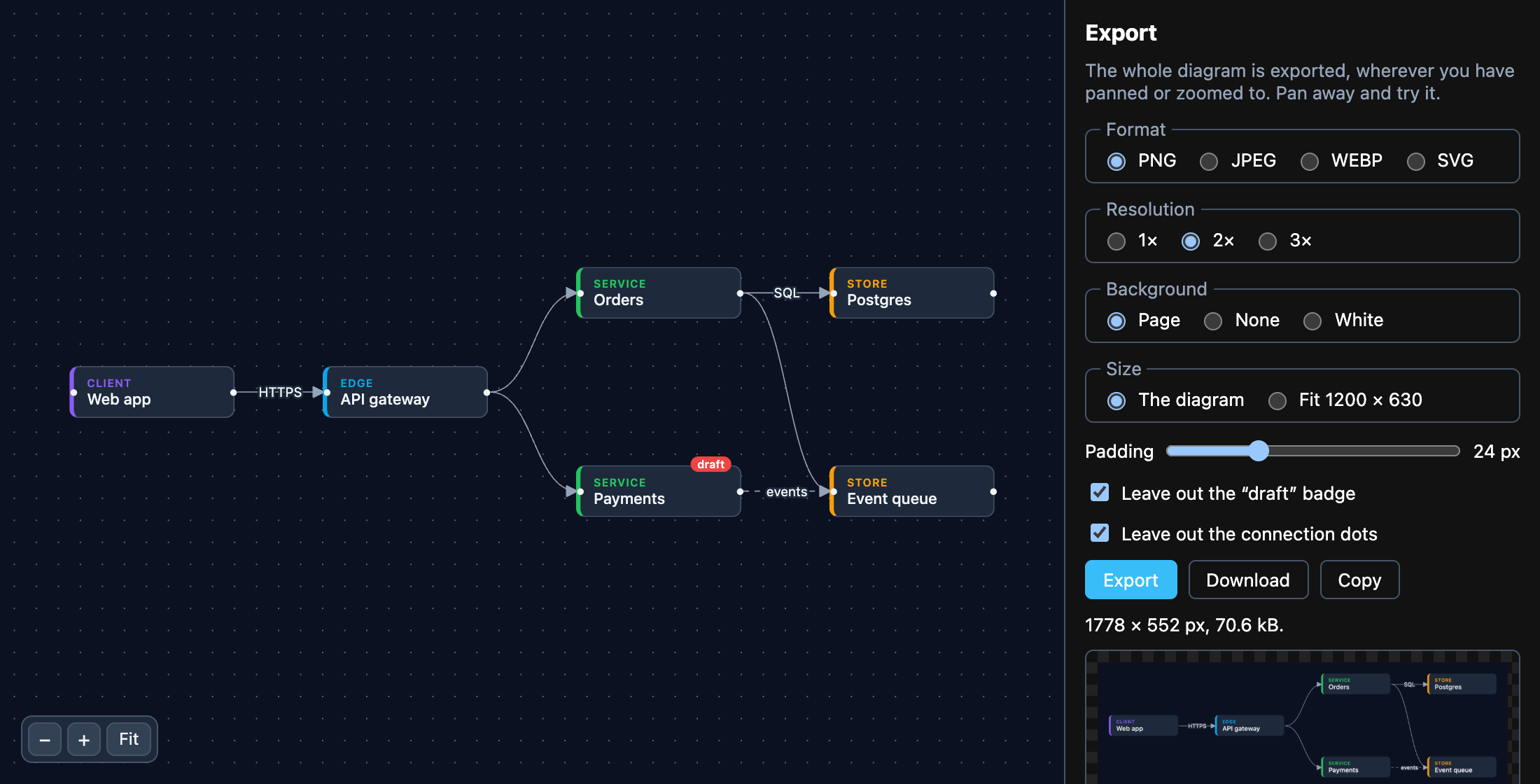
flowinger/export turns the canvas into an image in the browser: the whole
diagram, wherever the view is panned to, with your node components styled the way they are on the page. The
whole app — every option side by side, a preview, download and copy — is
examples/export.
A PNG in three lines
Section titled “A PNG in three lines”npm install flowingerPut a ref on the element that holds the canvas, and export that:
import { downloadFile, exportCanvasToPng } from 'flowinger/export';
const ref = useRef<HTMLDivElement>(null);
async function savePng() {  const png = await exportCanvasToPng(ref.current, { pixelRatio: 2 }); // a data: URL  downloadFile(png, 'diagram.png');}
return (  <div ref={ref} style={{ position: 'relative', height: 500 }}>    <FlowingerProvider>      <FlowingerCanvas nodes={nodes} edges={edges} fitView />    </FlowingerProvider>  </div>);
It is a separate entry point, so an app that never exports does not ship it.
The options that matter
Section titled “The options that matter”| Option | |
|---|---|
pixelRatio |
2 (the default) for a sharp image on a high-density screen; 3 for print. |
backgroundColor |
Default transparent. Pass the page’s colour — getComputedStyle(el).backgroundColor — for an image that looks like the screen. |
padding |
Pixels of room round the diagram. Default 20. |
width, height |
Fit the diagram inside this box instead of drawing it at 1:1 — { width: 1200, height: 630 } for a social card. |
filter(el) |
Return false to leave an element out: a “draft” badge, the handles (el.classList.contains('react-flow__handle')). |
mimeType, quality |
'image/jpeg' or 'image/webp' instead of PNG. JPEG has no transparency, so give it a background. |
SVG instead
Section titled “SVG instead”exportCanvasToSvg returns the SVG as a string — sharp at any size, and editable. downloadFile takes a URL,
so make one:
const svg = await exportCanvasToSvg(ref.current, { backgroundColor: '#ffffff' });const url = URL.createObjectURL(new Blob([svg], { type: 'image/svg+xml' }));downloadFile(url, 'diagram.svg');URL.revokeObjectURL(url);Copy to the clipboard
Section titled “Copy to the clipboard”For pasting into a document, a chat or an issue — PNG is the format browsers put on the clipboard:
const png = await exportCanvasToPng(ref.current);const blob = await (await fetch(png)).blob();await navigator.clipboard.write([new ClipboardItem({ 'image/png': blob })]);What does not come through
Section titled “What does not come through”The image is the page’s own DOM drawn inside an SVG, which can render but not fetch: an <img> or a web font
that is not a data: URL will be missing. Inline images as data: URLs, or use system fonts in the nodes.
Style sheets on the page are copied in (includeStyles: false to skip them); a cross-origin sheet the browser
will not let a script read is skipped.
Read next
Section titled “Read next”- The export module — the full reference.
- Save and load the diagram as JSON — the data, rather than a picture of it.