
An org chart in React, with collapsible branches
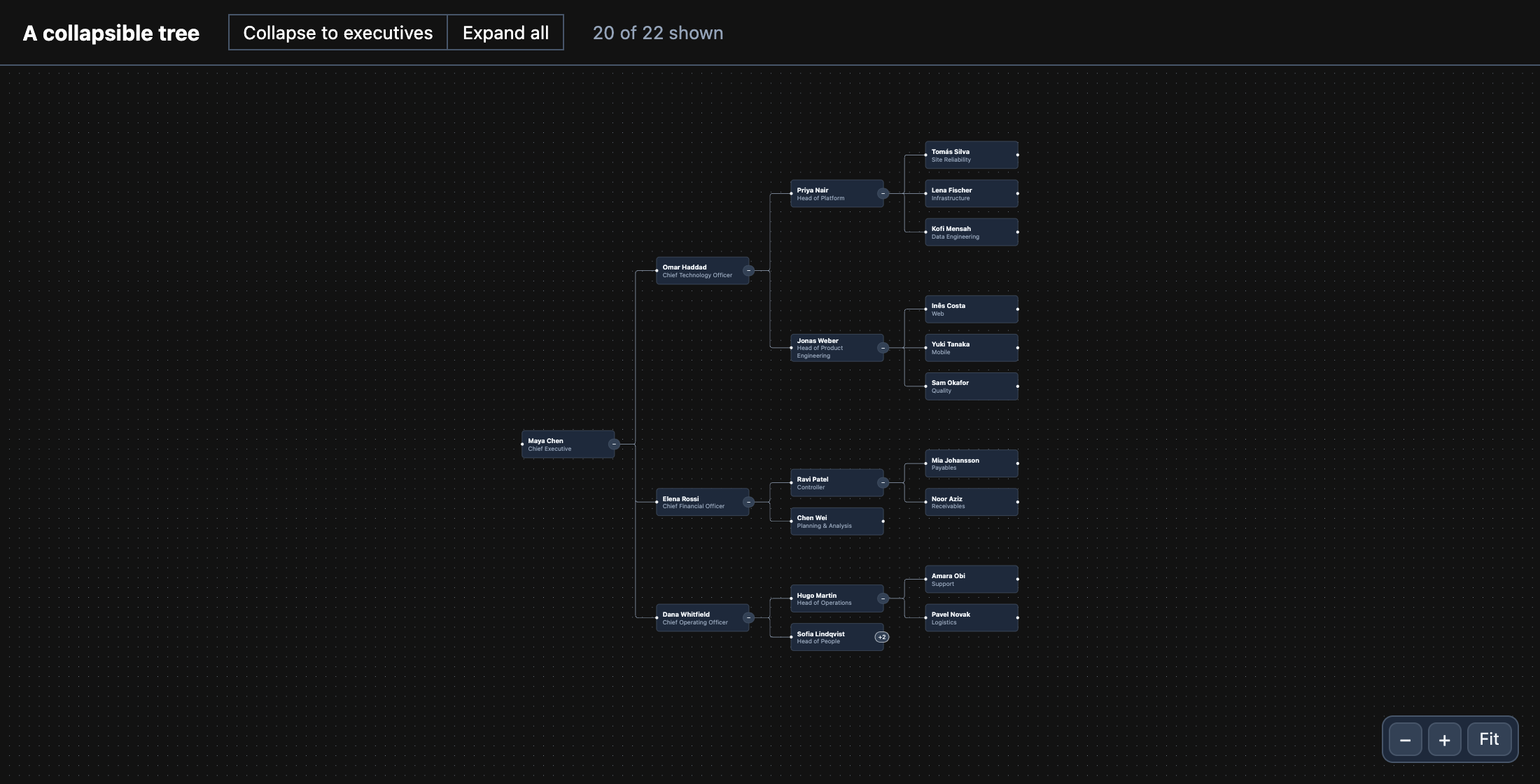
An organisation drawn as a tree — people as React components, managers on
the left — with a button on each branch that folds everything under it, and a layout that closes up around
what is hidden. The whole app is examples/tree.
What it takes
Section titled “What it takes”- Flowinger draws the nodes and edges, and
flowinger/treekeeps track of what is folded. - A layout library works out where each person sits. Flowinger does not lay graphs out; here it is
d3-hierarchy’s tidy tree, which suits a chart where everyone has exactly one manager.
npm install flowinger d3-hierarchyPositions from the data
Section titled “Positions from the data”Each person names their manager. stratify turns that into a tree and tree().nodeSize() spaces it out; d3
reports centres, so take half a node off to get the top-left corner Flowinger wants.
import { stratify, tree } from 'd3-hierarchy';
const NODE_WIDTH = 188;const NODE_HEIGHT = 56;
export function layout(people: { id: string; manager: string | null }[]) {  const root = stratify<(typeof people)[number]>().id((p) => p.id).parentId((p) => p.manager)(people);  // Room per node, centre to centre: across siblings, then along the tree (left to right).  const laid = tree<(typeof people)[number]>().nodeSize([NODE_HEIGHT + 22, NODE_WIDTH + 84])(root);  const positions: Record<string, { x: number; y: number }> = {};  laid.each((n) => {    positions[n.data.id] = { x: n.y - NODE_WIDTH / 2, y: n.x - NODE_HEIGHT / 2 };  });  return positions;}
Nodes are people and edges run from manager to report:
const nodes = people.map((p) => ({ id: p.id, type: 'person', position: positions[p.id], width: NODE_WIDTH, height: NODE_HEIGHT, data: { name: p.name, role: p.role },}));const edges = people.flatMap((p) => p.manager ? [{ id: `${p.manager}->${p.id}`, source: p.manager, target: p.id, type: 'smoothstep' }] : [],);Folding a branch
Section titled “Folding a branch”useCollapsibleTree() hides a node’s descendants by setting hidden on them (and their edges) through the
canvas, so the flow has to be controlled — useNodesState / useEdgesState. Call the hook once and hand
toggleNode to the nodes by context: each call keeps its own state.
import { useCollapsibleTree } from 'flowinger/tree';
const { collapsedNodeIds, isCollapsed, toggleNode, getDescendantIds } = useCollapsibleTree();
The button inside a node gets nodrag nopan, so pressing it is the button’s and not a drag of the node or the
pane:
<button className="nodrag nopan" onClick={() => toggleNode(id)}>{isCollapsed(id) ? '+' : '−'}</button>Closing up the gap
Section titled “Closing up the gap”Hiding people does not move anyone else, so a folded branch would leave a hole. Run the layout again over the people who are still shown, and give the nodes those positions — derived on each render, not stored, since nothing in an org chart is dragged:
const hidden = new Set([...collapsedNodeIds].flatMap((id) => getDescendantIds(id, edges)));const positions = useMemo(() => layout(people.filter((p) => !hidden.has(p.id))), [collapsedNodeIds]);const placed = nodes.map((n) => (positions[n.id] ? { ...n, position: positions[n.id] } : n));Read next
Section titled “Read next”- The tree module — every option of
useCollapsibleTree. - Lay out a DAG with dagre — when a node can have more than one parent.
- Export the chart as a PNG.